Impact

Impact

Improved data clarity and workflow efficiency across production, pricing, and scheduling.

Role

Role

Product Designer

Duration

Sept 2025 - Dec 2025

Team

1 Product Manager · 3 Developers · Product Leadership (Direction)

Enterprise ERP Redesign

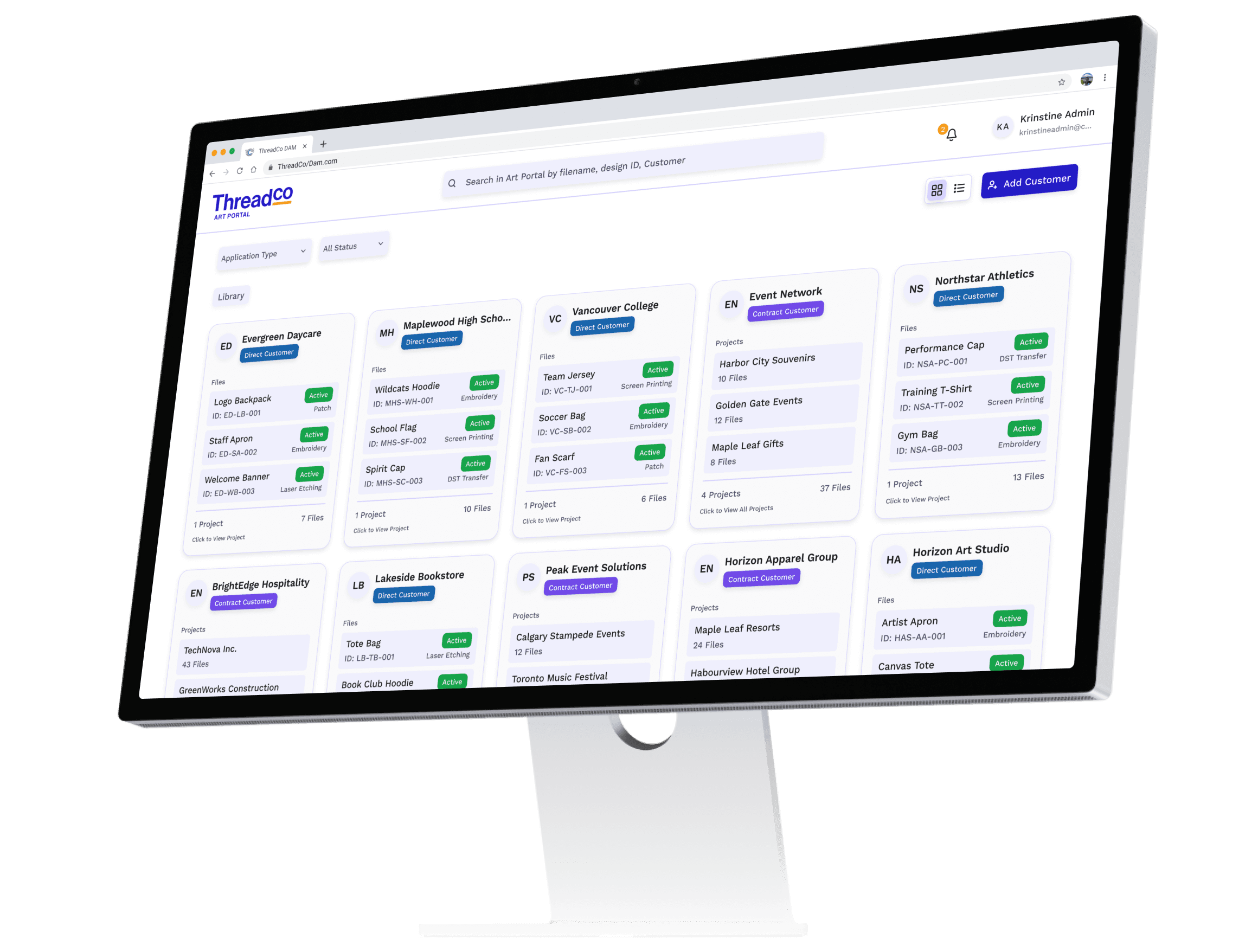
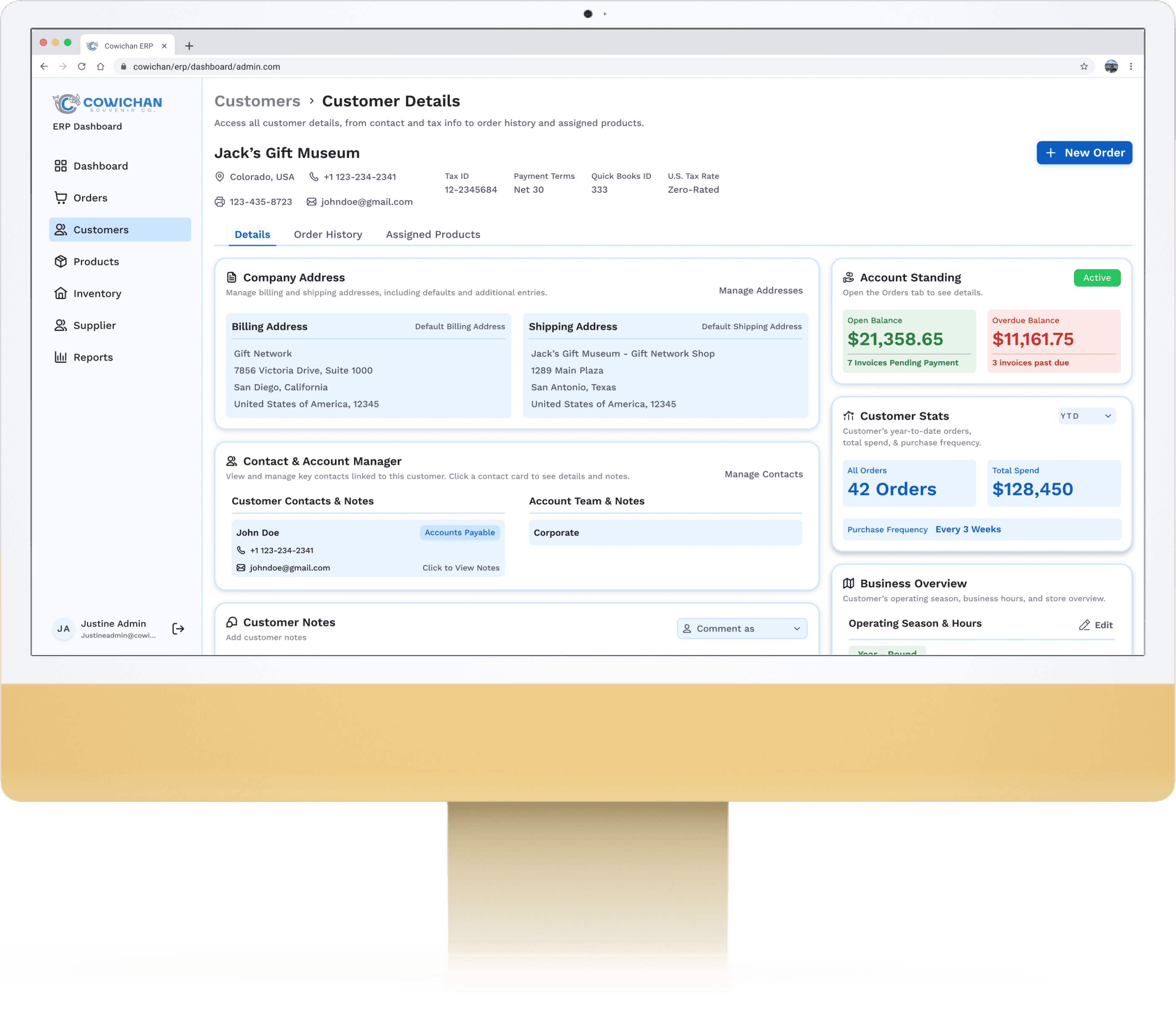
Redesigned a legacy ERP to modernize operations for a high-volume apparel manufacturer. After auditing the existing MS Access–based system, I mapped pain points across production, inventory, billing, and order flow. Using rapid prototyping and iterative reviews, I redesigned modules to improve clarity, reduce errors, and streamline daily workflows.


The updated system introduced clearer hierarchy, simplified task flow, unified data structures, and scalable components — giving Cowichan a more reliable and efficient operational backbone.
The "UX" Problem

The legacy system was confusing and inconsistent, with weak information architecture and limited automation, so only one expert could reliably use it, creating a major bottleneck and scaling risk.

The "Real World" Problem

The one person who knew the system was going on maternity leave, and no one else could confidently place orders or be trained quickly.

Before Redesign
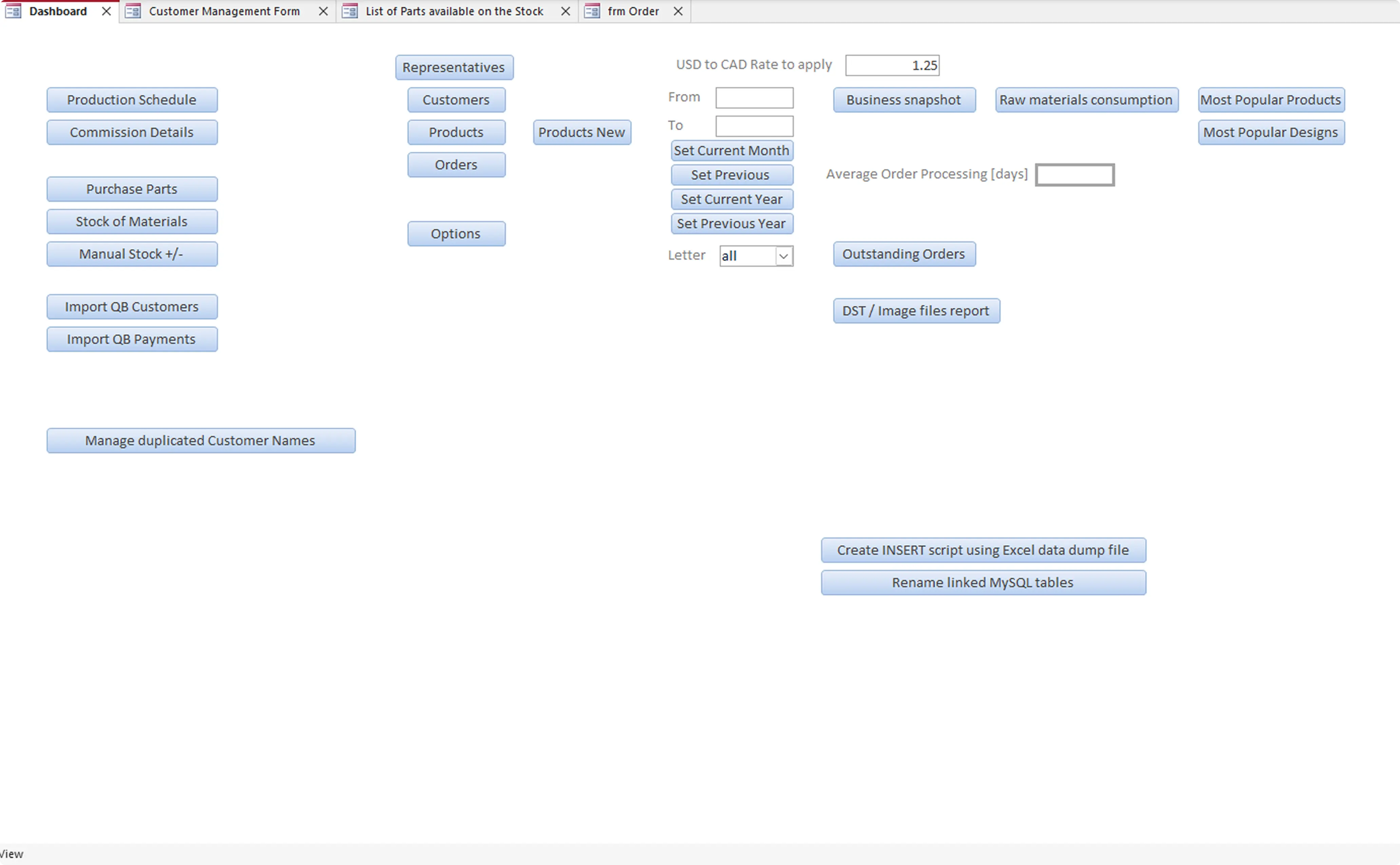
Dashboard
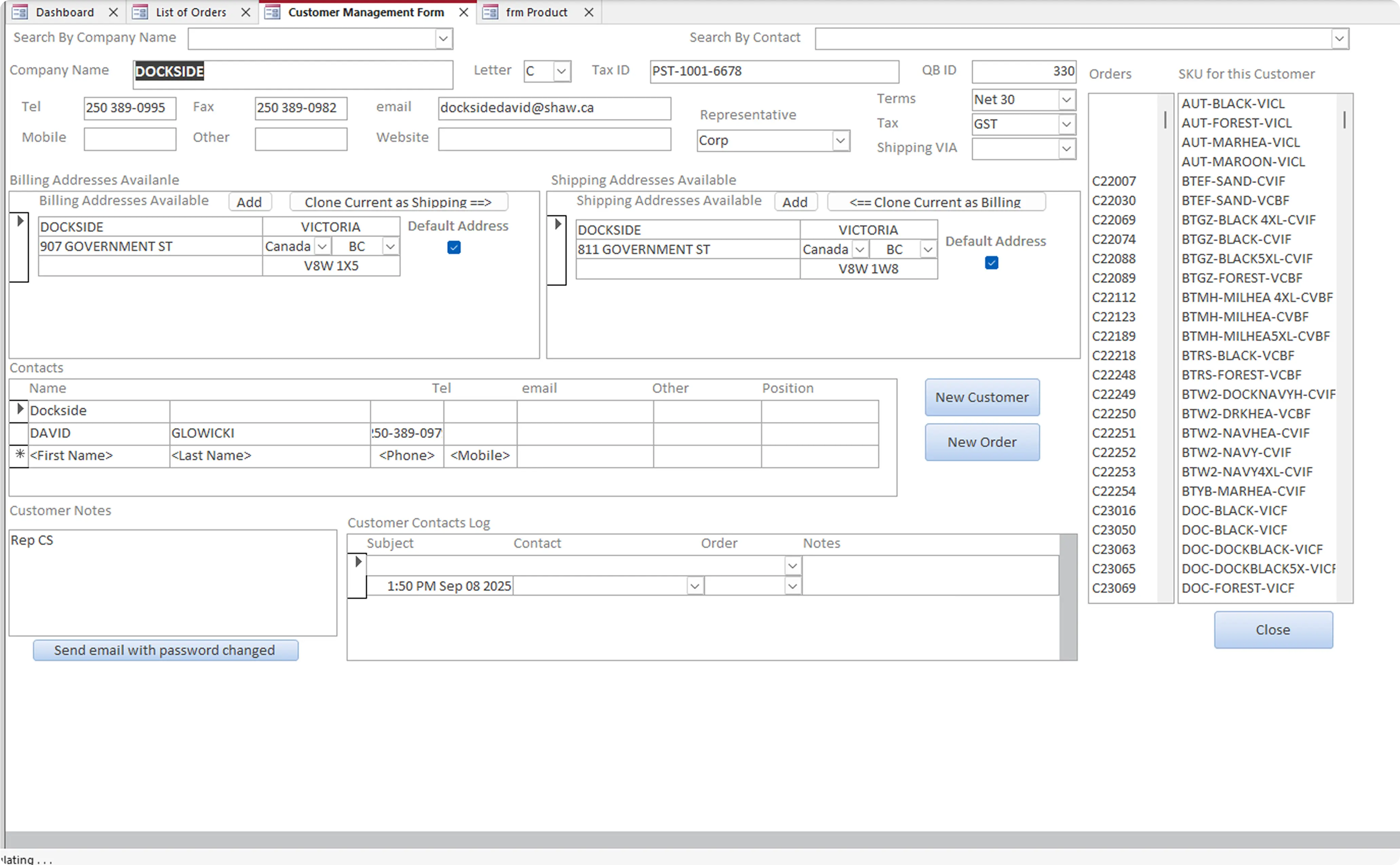

Customer View
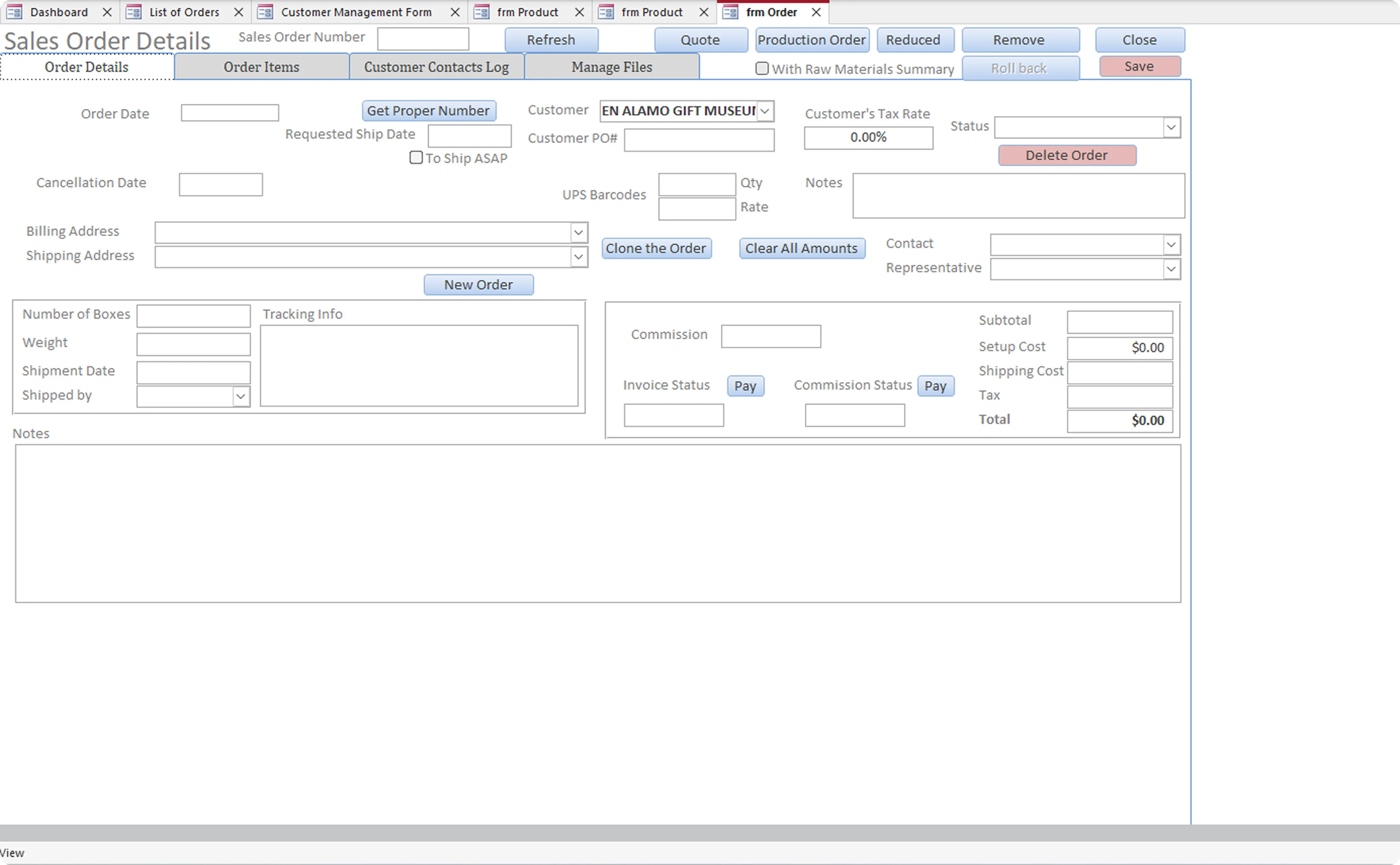
New Order
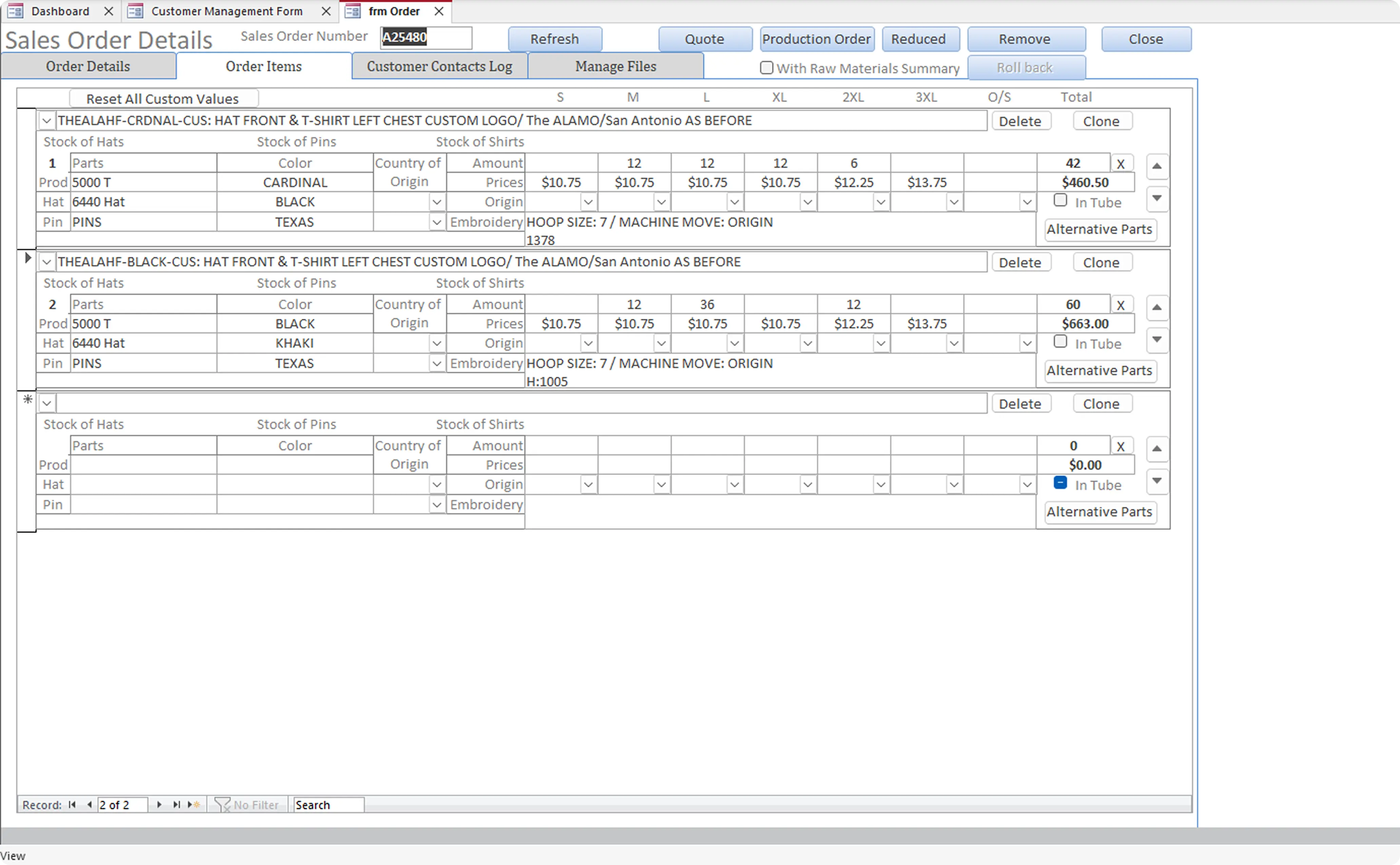
Order Details
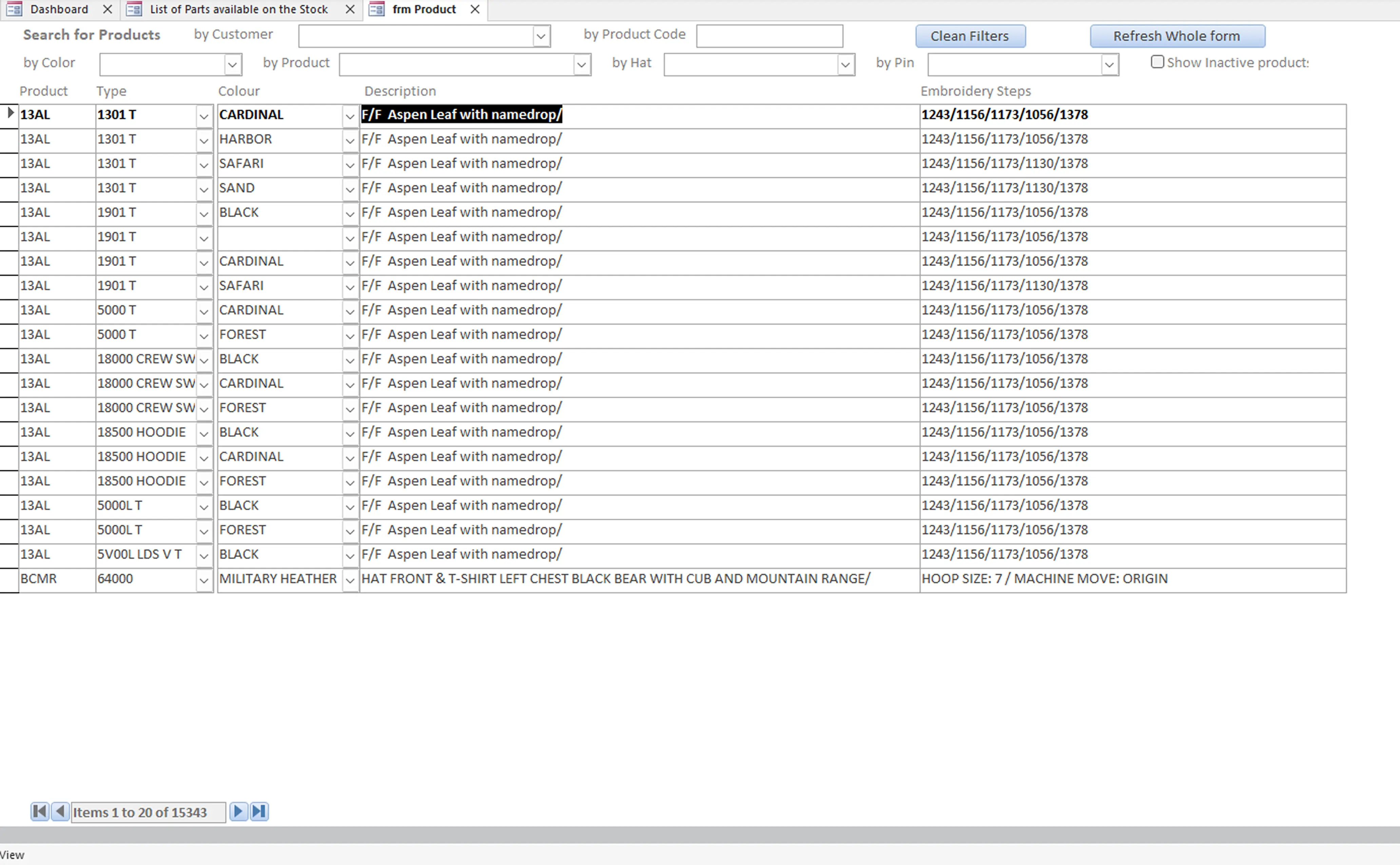
Product List
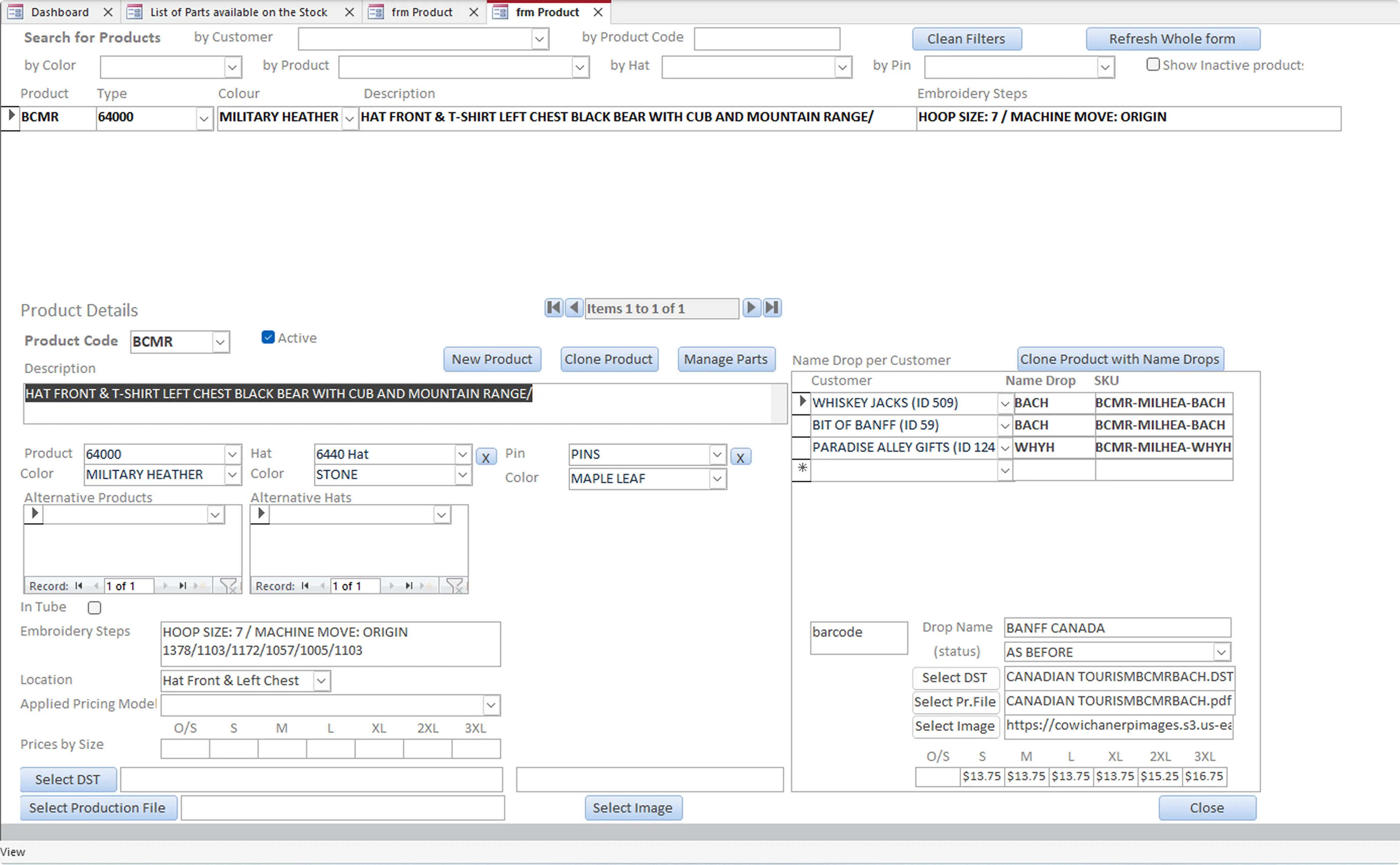

Product Detail

Goal

Redesign the ERP so it could be used confidently by anyone, support growth, and reduce operational risk.

System Level Issues

Clarity

No clear information hierarchy, every screen felt different

Familiarity

Workflows depended on memory, not guidance

Efficiency

New users had no clear starting point

Trust

Small mistakes had big downstream impact

Design Approach

After gaining a clear understanding of how ERP was used

Learning the system

(User research - Workflow immersion)

Clinicians

(Primary Users)

  • Walked through real orders end-to-end

  • Reviewed emails, printouts, and production handoffs

  • Learned how the dashboard and core pages were actually used

  • Spent time with the key stakeholder who knew the system inside-out

Finding the Friction

(CMO, Endocrinologists)

  • Noted where users slowed down or got confused

  • Identified screens that relied on memory or workarounds

  • Looked for repeated problems across modules

Moving Fast, Iterating Often

(Rapid Prototyping - Feedback loops)

  • Set clear priorities around structure, clarity, and customer context

  • Shared work frequently and adjusted based on feedback

  • Focused on consistency across the entire system

Learning the system

(User research - Workflow immersion)

  • Walked through real orders end-to-end

  • Reviewed emails, printouts, and production handoffs

  • Learned how the dashboard and core pages were actually used

  • Spent time with the key stakeholder who knew the system inside-out

Finding the Friction

(CMO, Endocrinologists)

  • Noted where users slowed down or got confused

  • Identified screens that relied on memory or workarounds

  • Looked for repeated problems across modules

Moving Fast, Iterating Often

(Rapid Prototyping - Feedback loops)

  • Set clear priorities around structure, clarity, and customer context

  • Shared work frequently and adjusted based on feedback

  • Focused on consistency across the entire system

Design Approach

After gaining a clear understanding of how Endobits was used in clinics

I worked closely with our Product Manager (also the CTO), CEO, Operations Manager, and Chief Medical Officer to define a new direction for the product.


Through this collaboration, we aligned around four guiding principles that shaped the redesign. These principles helped balance clinical precision with everyday usability — ensuring that the new Endobits experience felt both professional and familiar to clinicians.

Dashboard Redesign

Establishing clarity, consistency, and a new design direction

Transforming a dense clinical dashboard into a modern, consumer-grade experience

To fix inconsistencies and improve readability, I began by defining a lightweight design system. This helped expose issues with the existing dashboard and guided the redesign toward a more intuitive and clinically confident experience.
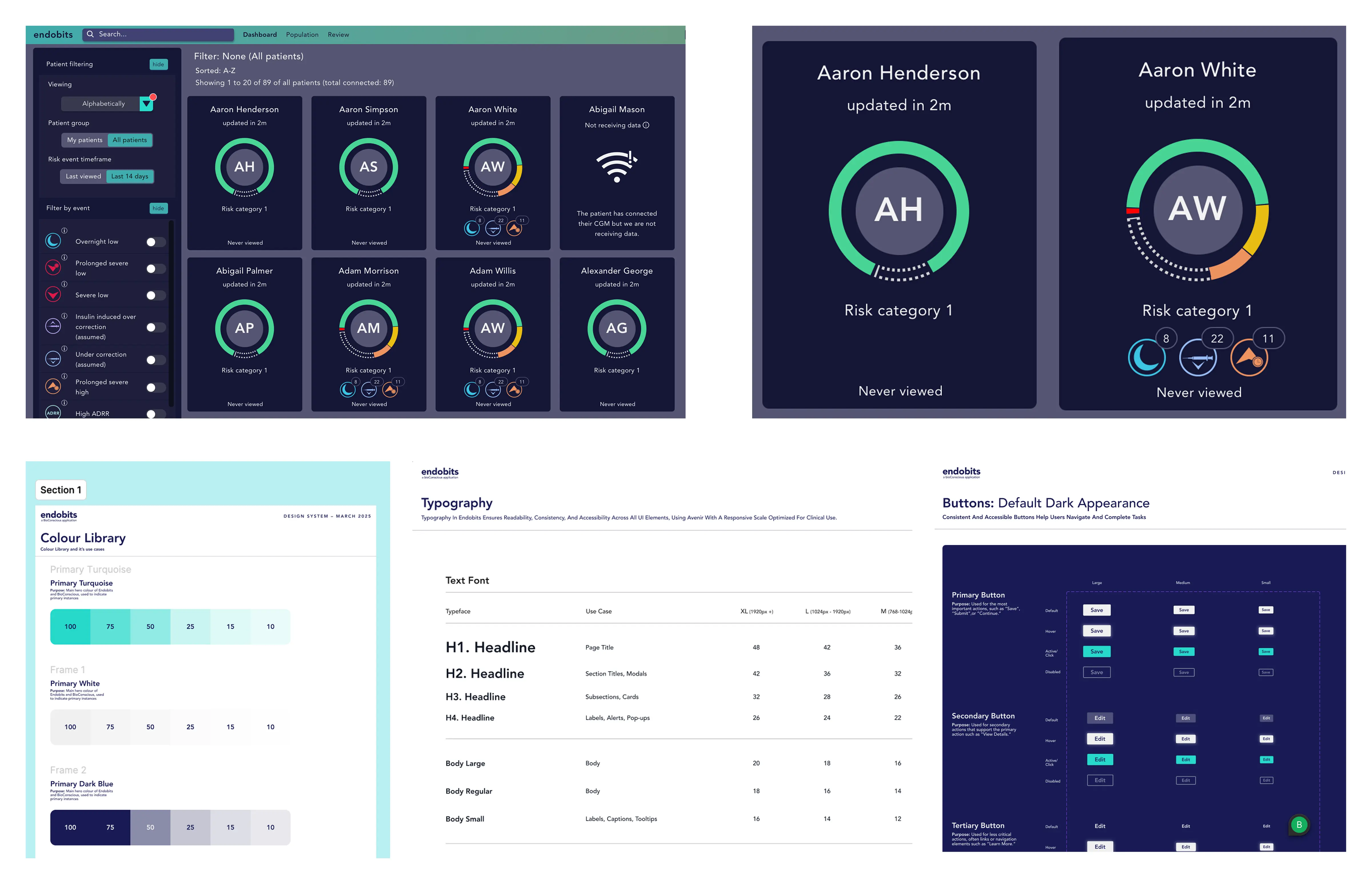
Key Issues Identified


  • Weak visual hierarchy made risk levels hard to interpret

  • Patient cards lacked structure and meaning

  • Filters dominated the screen and felt complex

  • Visual design wasn’t aligned with modern UX patterns

Key Issues Identified


  • Weak visual hierarchy made risk levels hard to interpret

  • Patient cards lacked structure and meaning

  • Filters dominated the screen and felt complex

  • Visual design wasn’t aligned with modern UX patterns

Key Issues Identified


  • Weak visual hierarchy made risk levels hard to interpret

  • Patient cards lacked structure and meaning

  • Filters dominated the screen and felt complex

  • Visual design wasn’t aligned with modern UX patterns

Old dashboard layout + patient card close-up + early design system foundations

Exploration & Design Evolution

From incremental improvements to consumer-inspired interaction models

I refined the existing dashboard first, improving spacing and simplifying filters. Then I explored card-based layouts inspired by streaming platforms, which helped clinicians scan patient data faster and more intuitively.
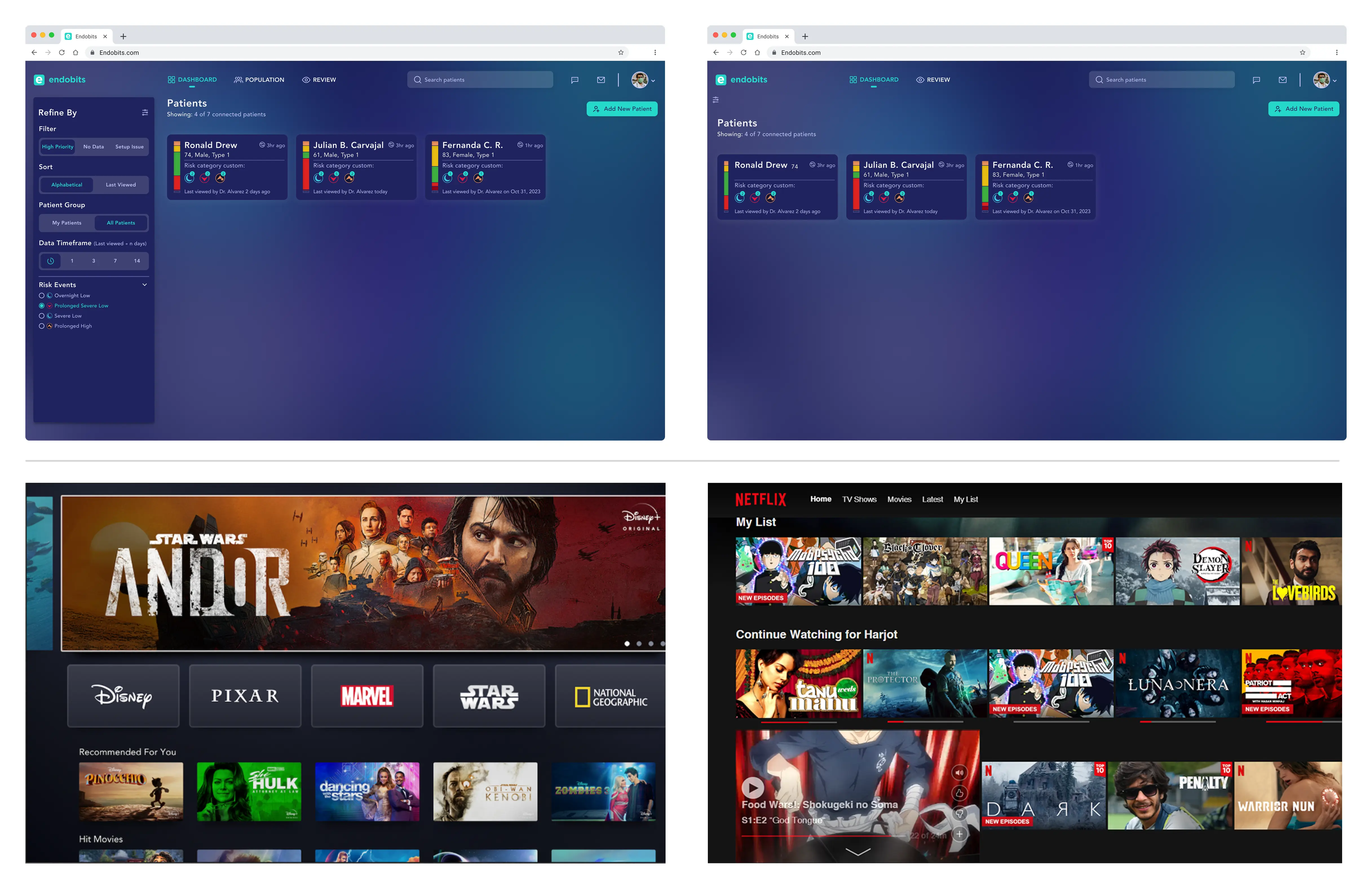
How the Design Evolved


  • Cleaned up the existing layout for immediate readability

  • Introduced clearer spacing and visual hierarchy

  • Reduced filter visual load

  • Explored Netflix/Disney+ card patterns to support large data sets

How the Design Evolved


  • Cleaned up the existing layout for immediate readability

  • Introduced clearer spacing and visual hierarchy

  • Reduced filter visual load

  • Explored Netflix/Disney+ card patterns to support large data sets

How the Design Evolved


  • Cleaned up the existing layout for immediate readability

  • Introduced clearer spacing and visual hierarchy

  • Reduced filter visual load

  • Explored Netflix/Disney+ card patterns to support large data sets

Early structural refinements and consumer-inspired layout explorations

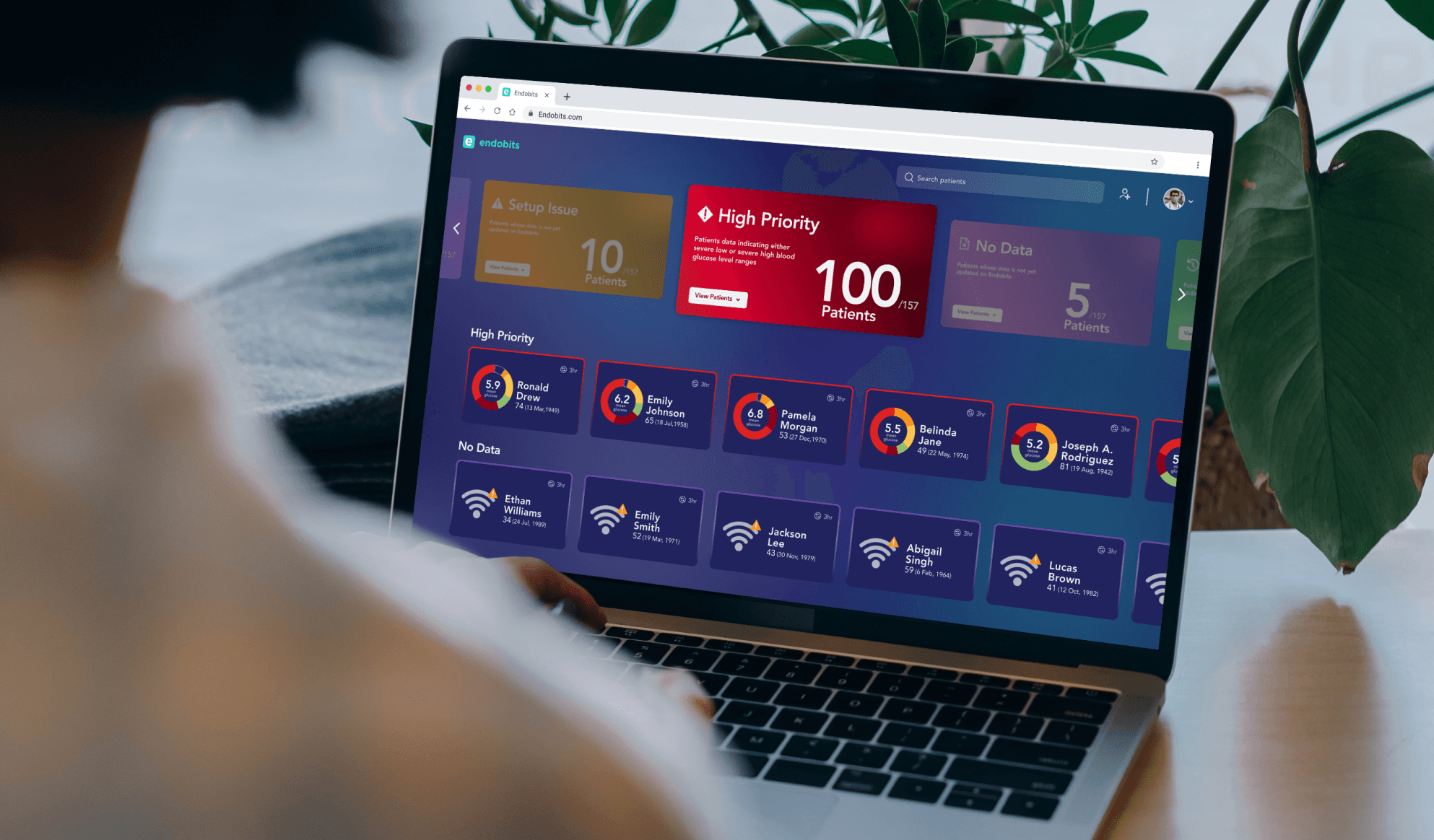
Final Dashboard UI

A modern clinical dashboard designed for speed and confidence


The final design uses large, glanceable cards with clear risk indicators and hover details. Patients are grouped into meaningful categories, helping clinicians triage faster and stay focused on what matters most.
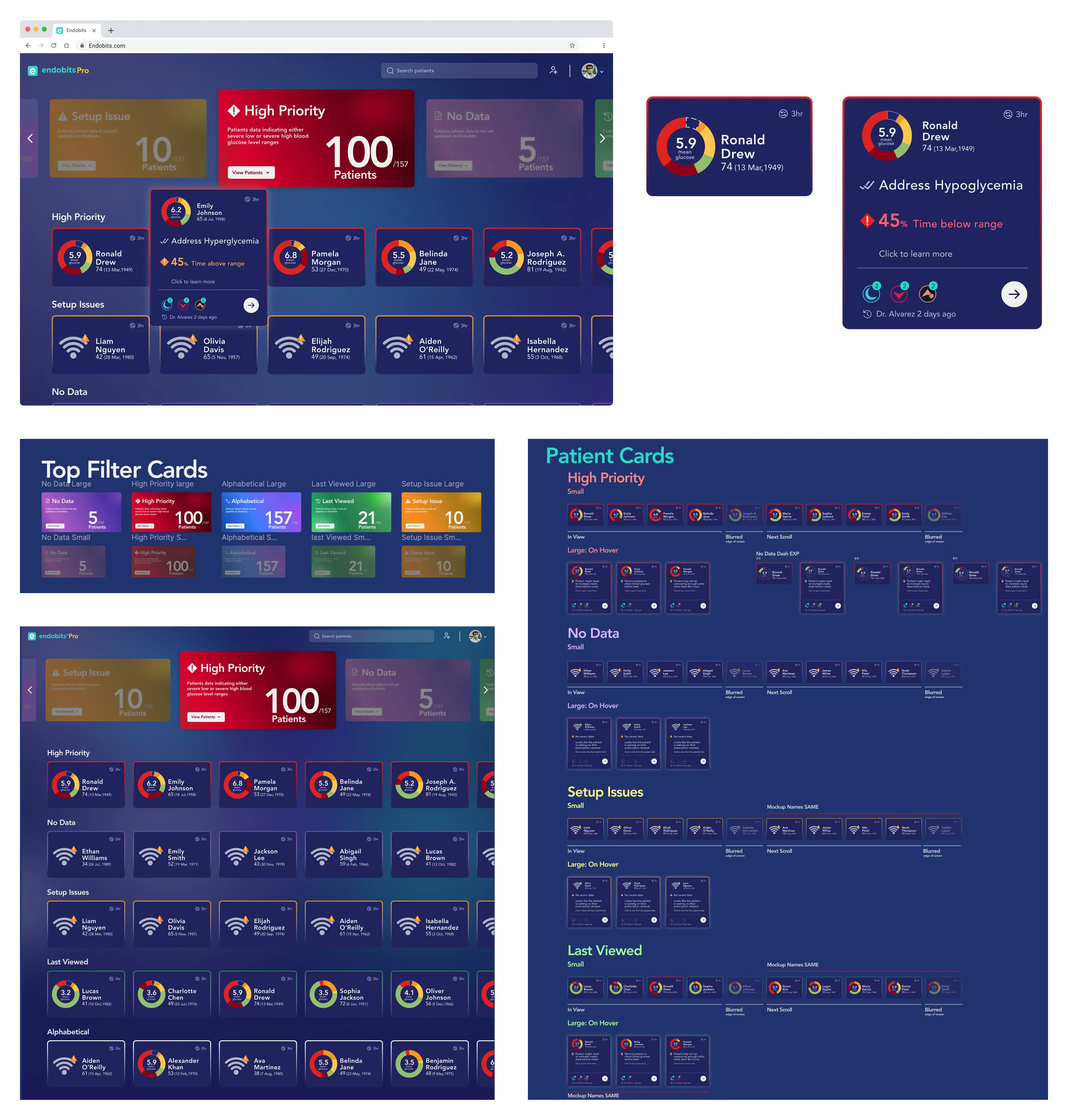
What Improved


  • Faster triage through strong visual hierarchy

  • Clear categories: High Priority, No Data, Setup Issues

  • Hover states that reveal deeper insights

  • Scalable for future features and AI-driven insights

What Improved


  • Faster triage through strong visual hierarchy

  • Clear categories: High Priority, No Data, Setup Issues

  • Hover states that reveal deeper insights

  • Scalable for future features and AI-driven insights

What Improved


  • Faster triage through strong visual hierarchy

  • Clear categories: High Priority, No Data, Setup Issues

  • Hover states that reveal deeper insights

  • Scalable for future features and AI-driven insights

Final dashboard redesign featuring large, glanceable cards, cleaner hierarchy, hover-based insight reveals, and a full system of card variants built for clinical workflows such as triage, setup checks, and reviewing last-seen patients.

Patient Charts Redesign

Understanding the challenges of the original Patient Charts

Making complex glucose trends clearer and easier to interpret


The original charts view surfaced valuable data but lacked structure and hierarchy, forcing clinicians to scan multiple dense graphs to find key insights. This made it difficult to quickly understand glucose patterns, variability, and daily trends.
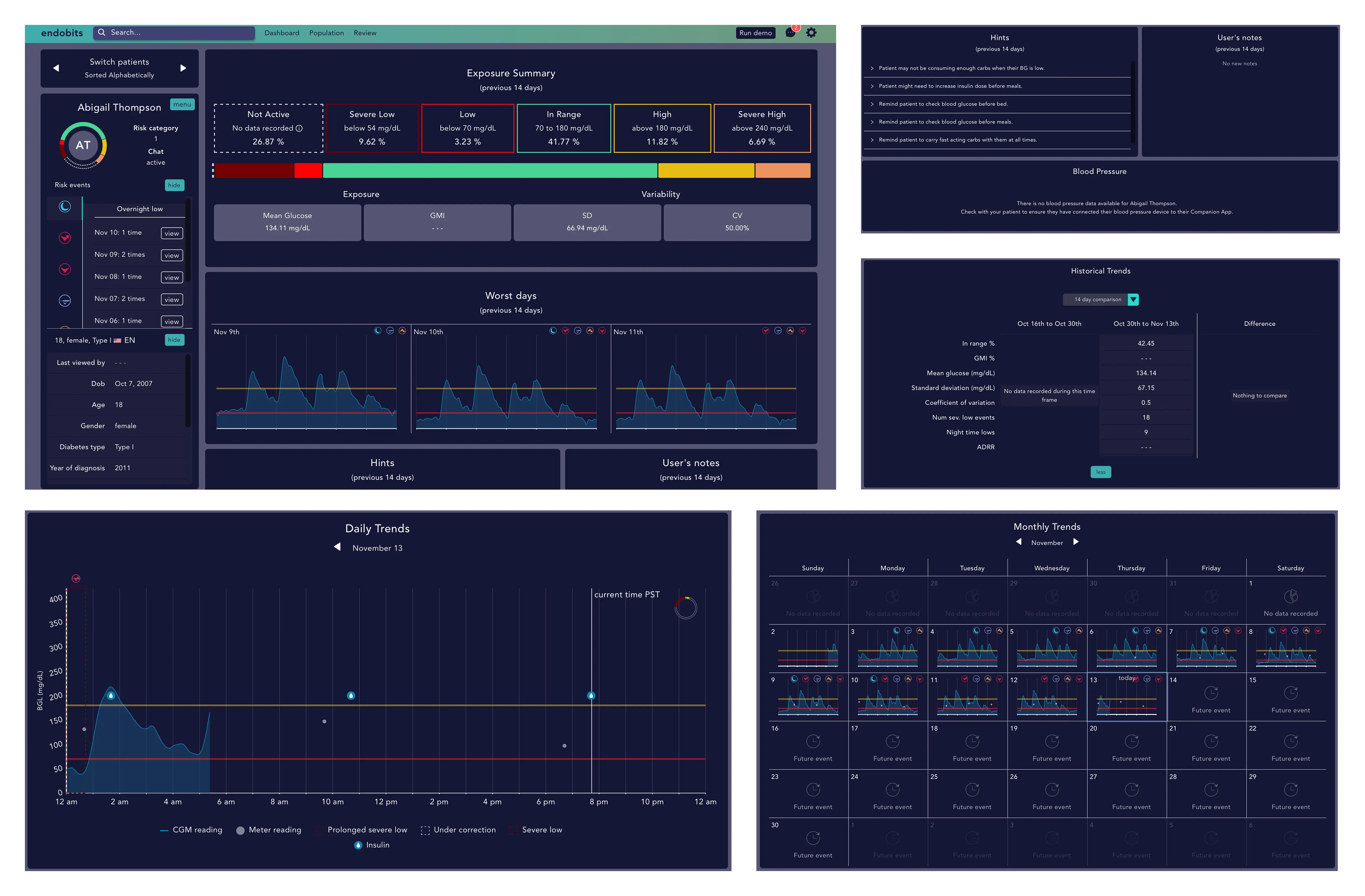
Key Issues Identified


  • Dense charts made patterns hard to interpret

  • Related insights weren’t grouped together

  • Inconsistent labels reduced clinical readability

  • Important events (severe lows, highs, night events) were easy to overlook

Key Issues Identified


  • Dense charts made patterns hard to interpret

  • Related insights weren’t grouped together

  • Inconsistent labels reduced clinical readability

  • Important events (severe lows, highs, night events) were easy to overlook

Key Issues Identified


  • Dense charts made patterns hard to interpret

  • Related insights weren’t grouped together

  • Inconsistent labels reduced clinical readability

  • Important events (severe lows, highs, night events) were easy to overlook

Original charts view: exposure summaries, trend graphs, and raw data tables presented without clear hierarchy.

Exploration & Design Evolution

From dense trend charts to clearer, clinically meaningful insights


I refined the existing charts first by improving spacing, simplifying labels, and restructuring how trends were presented. Then I explored layouts that grouped related insights together — exposure, daily trends, historical comparison — making it easier for clinicians to understand glucose patterns at a glance.
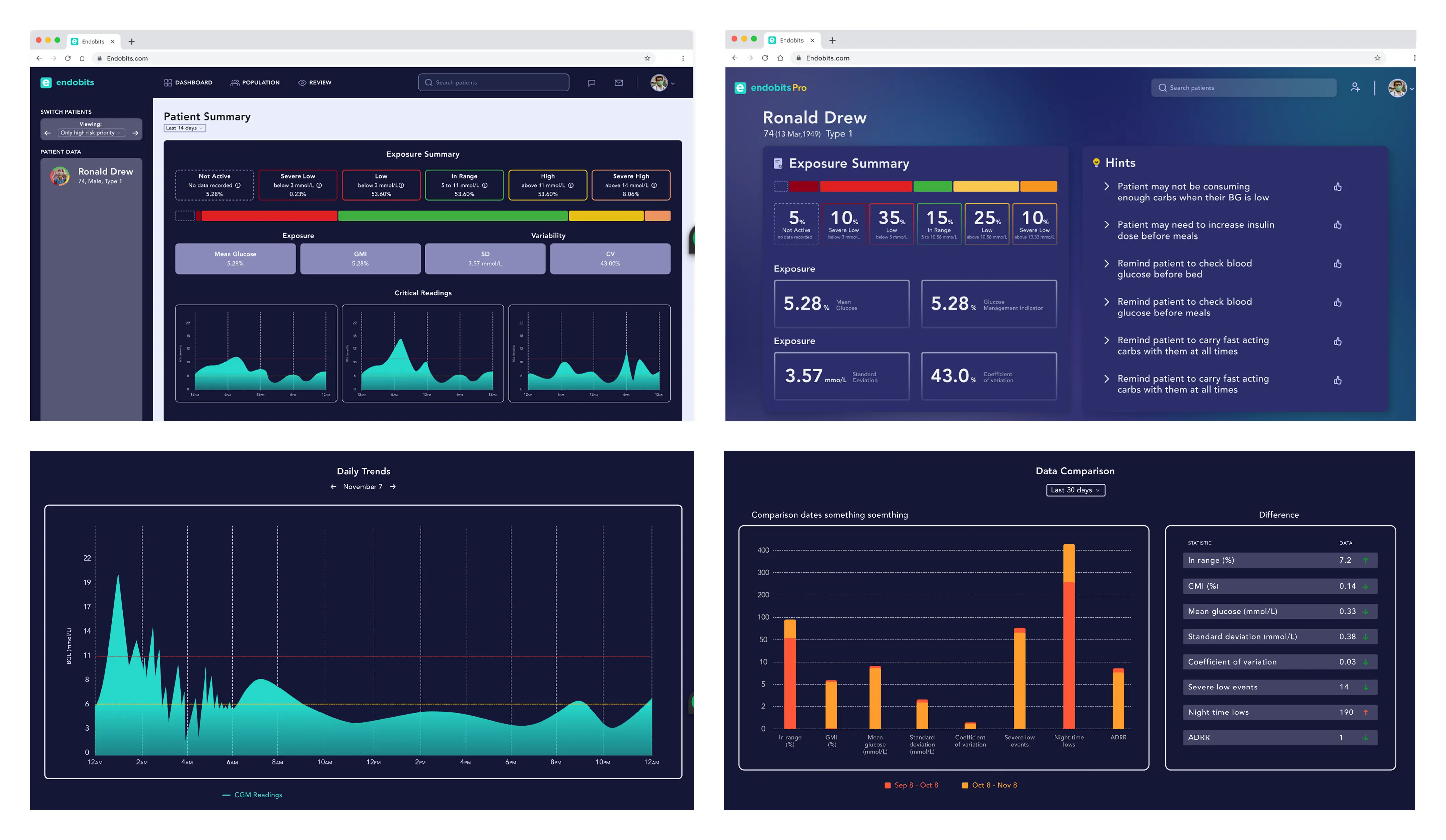
How the Design Evolved


  • Reduced visual noise across charts and trend graphs

  • Grouped related metrics into meaningful sections

  • Improved labeling, axes, and color clarity

  • Added clearer comparison views for clinical decision-making

How the Design Evolved


  • Reduced visual noise across charts and trend graphs

  • Grouped related metrics into meaningful sections

  • Improved labeling, axes, and color clarity

  • Added clearer comparison views for clinical decision-making

How the Design Evolved


  • Reduced visual noise across charts and trend graphs

  • Grouped related metrics into meaningful sections

  • Improved labeling, axes, and color clarity

  • Added clearer comparison views for clinical decision-making

Early structural refinements of trend charts, exposure summaries, and historical comparison views.

Final Patient Charts UI

A redesigned clinical analytics view that improves insight delivery and decision-making.


The updated charts view presents time-series data, trends, and insights in a cleaner, more interpretable layout.

Large charts, tighter spacing, and clearer visual hierarchy make it easier for clinicians to identify patterns, compare metrics, and review patient progress.
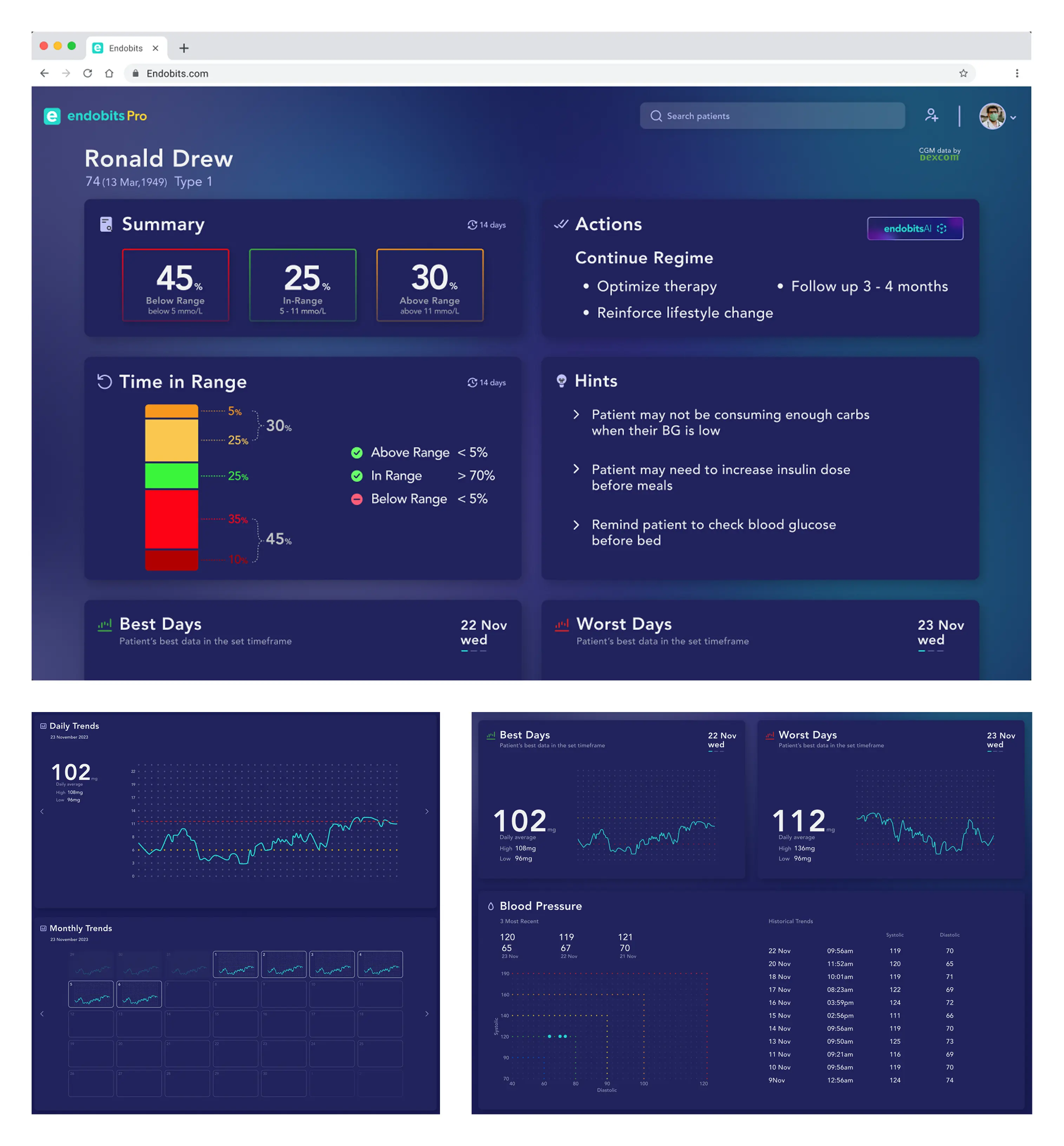
What Improved


  • More readable exposure and trend charts

  • Clear grouping of insights: Summary, Actions, Hints, Best/Worst Days

  • Simplified monthly and daily trend navigation

  • Improved chart contrast and data visualization

  • Scalable for AI-driven insights and future clinical metrics

What Improved


  • More readable exposure and trend charts

  • Clear grouping of insights: Summary, Actions, Hints, Best/Worst Days

  • Simplified monthly and daily trend navigation

  • Improved chart contrast and data visualization

  • Scalable for AI-driven insights and future clinical metrics

What Improved


  • More readable exposure and trend charts

  • Clear grouping of insights: Summary, Actions, Hints, Best/Worst Days

  • Simplified monthly and daily trend navigation

  • Improved chart contrast and data visualization

  • Scalable for AI-driven insights and future clinical metrics

Final redesigned charts view with improved trends, insights, and clinical readability.

Additional Design Work

Product & Corporate Website

Designed and built the product & corporate site in Framer, creating a cleaner brand presence and improving clinic onboarding clarity. (The orange labels are live links to the websites)

Presentation Decks

Created pitch, investor, and clinical education decks, establishing consistent visual language across teams.
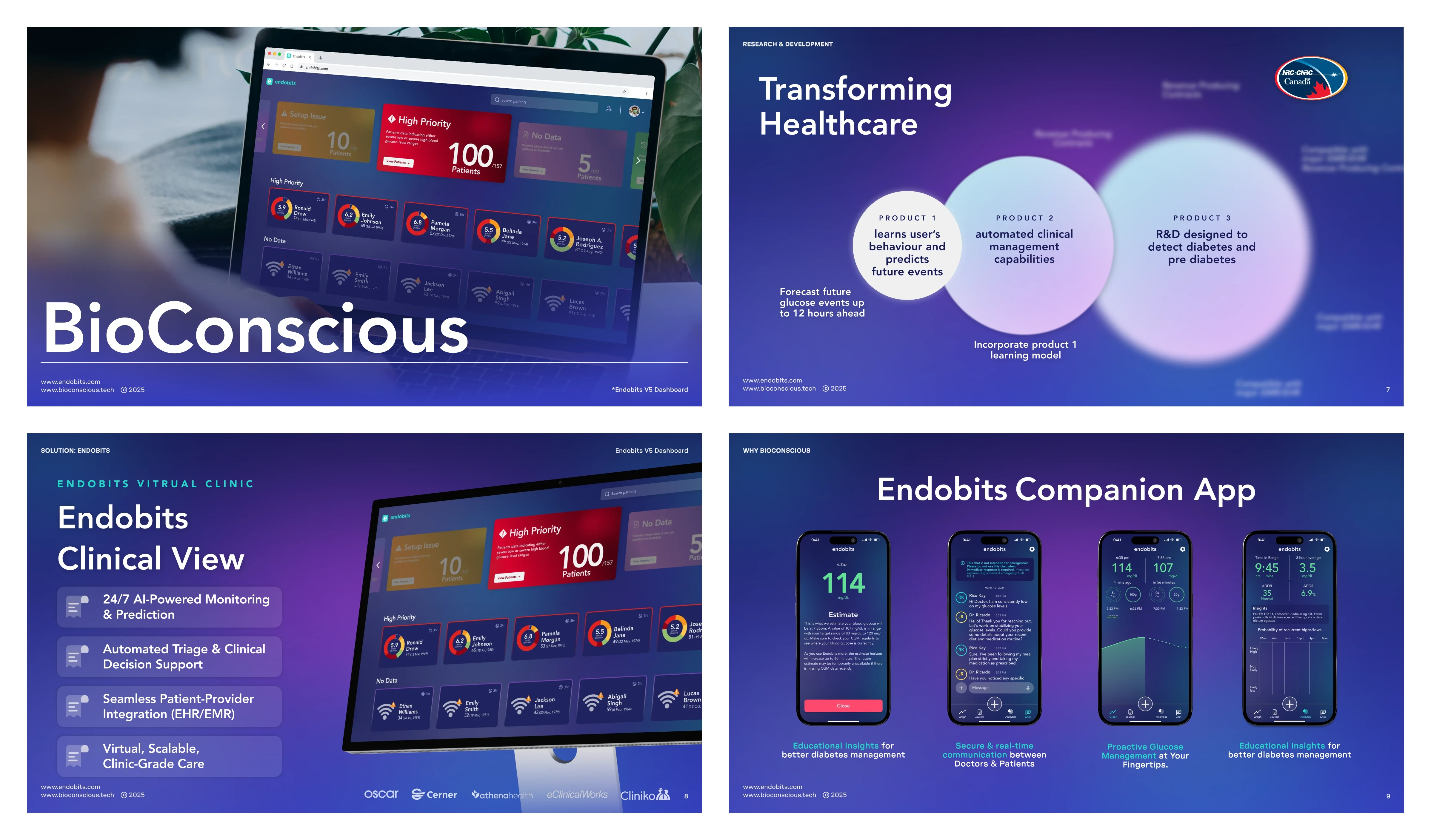
Created investor, product, and clinical education decks with a consistent visual language that supported storytelling across teams.

Original patient detail view presenting raw data in dense tables with low readability.

Marketing & Print Assets

Designed brochures, email signatures, business cards, and clinic posters to support product rollout.
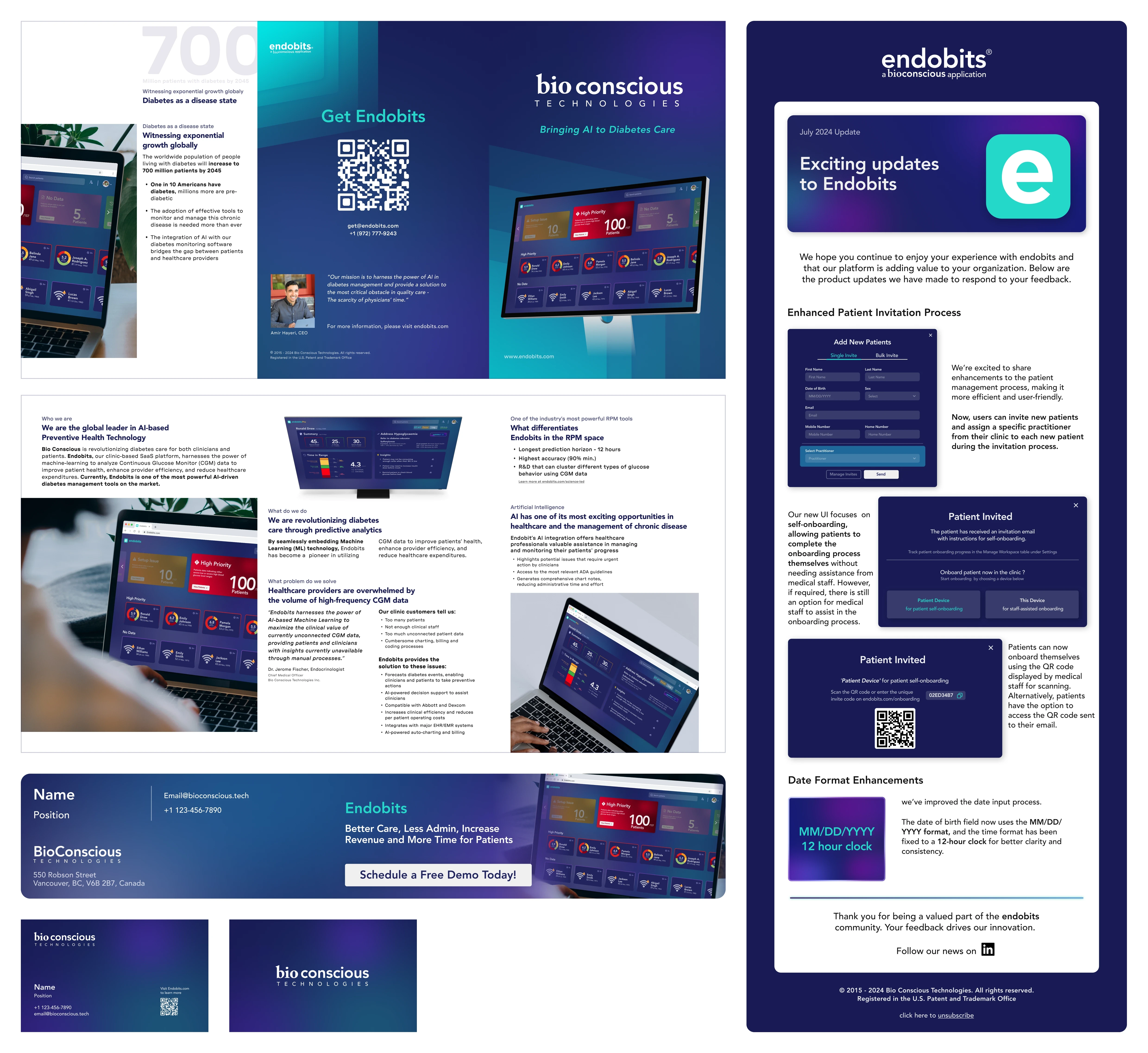
Designed brochures, posters, email updates, business cards, and event collateral to support product launches and clinic engagement.

Business & User Impact

Anyone Could Use the System

The ERP no longer depended on a single expert, any team member could understand and operate it confidently.

Fewer Errors, Faster Orders

Clear structure and visual context reduced errors by ~50% and cut order entry time by 25–50%.

Smarter
Business Decisions

Smart tags and suggestions enabled faster reuse of designs and supported upsell opportunities across regions.

Stronger Customer Relationships

Shared customer context turned transactions into trusted conversations.

Reflection

What Worked

  • Fast, continuous feedback loops

  • Strong collaboration with PMs and engineers

  • A design system enabled scalable handoff

What I'd Improve

  • More structured upfront discovery

  • Additional validation after development launch

  • More time for visual refinement

Say Hello

Let’sConnect

Let’sConnect

Whether it’s about design, tennis, or breaking 90, I’d love to hear from you.

Say Hello

Let’sConnect

Whether it’s about design, tennis, or breaking 90, I’d love to hear from you.

2025 Bhalinder Oberoi - Vancouver CA

2025 Bhalinder Oberoi - Vancouver CA

2025 Bhalinder Oberoi - Vancouver CA